Changelog

Follow new updates and improvements to LINQLO.

What's New In July!

Hello Linqloers!👋


Salvatore here — first off apologies as I’m sharing this changelog later than usual, been a crazy month starting a new job as well as celebrating my 30th! July was been stacked with new drops, new integrations, and a big leap forward in how you experience your content on LINQLO.

From brand-new content types to a mobile experience overhaul, I’ve been busy shipping updates to make LINQLO more beautiful, more functional, and way more fun to use — whether you’re on desktop or on the go.

Let’s get into it 👇


✨ What’s New in July

🖥 Full-Width Content Viewer

Your content, edge-to-edge.
All 8 content types can now be viewed in glorious full-width mode, giving you more space to focus, immerse, and breathe.


🏷 Link Tagging + Custom Tag Builder

Tags have landed! You can now organize, filter, and search your content using tags across all pages. Better yet, our Thiings icon integration means you can create beautiful custom tags with over 8,000 3D icons to match your project’s style. 🎨👾


📊 New Analytics Dashboard

We’ve redesigned the Analytics page from the ground up.
Cleaner visuals, more relevant metrics, and faster load times — so you can get a sharper snapshot of your project activity at a glance.


🔐 Redesigned Login Page + Interactive Demo

First impressions matter. Our new login experience now features interactive drag & drop demo cards that let you try out LINQLO’s content management magic before you even sign up.

It’s a playful, hands-on way to understand the platform’s capabilities — and a perfect showcase for our drag & drop DNA.


📱 Dual-Column Mobile View

Swap between single and dual column layouts on mobile for more efficient browsing. Sometimes you want maximum focus, other times you want to see more at once — now you choose.


📄 Google Docs Viewer (8th Content Type)

Google Docs are now fully viewable inside your projects.
No more hopping tabs — just add, open, and read right inside LINQLO.


🔗 Built-In Link Shortener for Page Share

Sharing just got cleaner. When you share a public page, LINQLO now automatically generates a shortened, tidy link for you.


↕️ Group & Link Section Reordering

Reorder your groups and link sections so the most important stuff sits right where you want it — top of the view, every time.


🪟 Glass Dialog Update
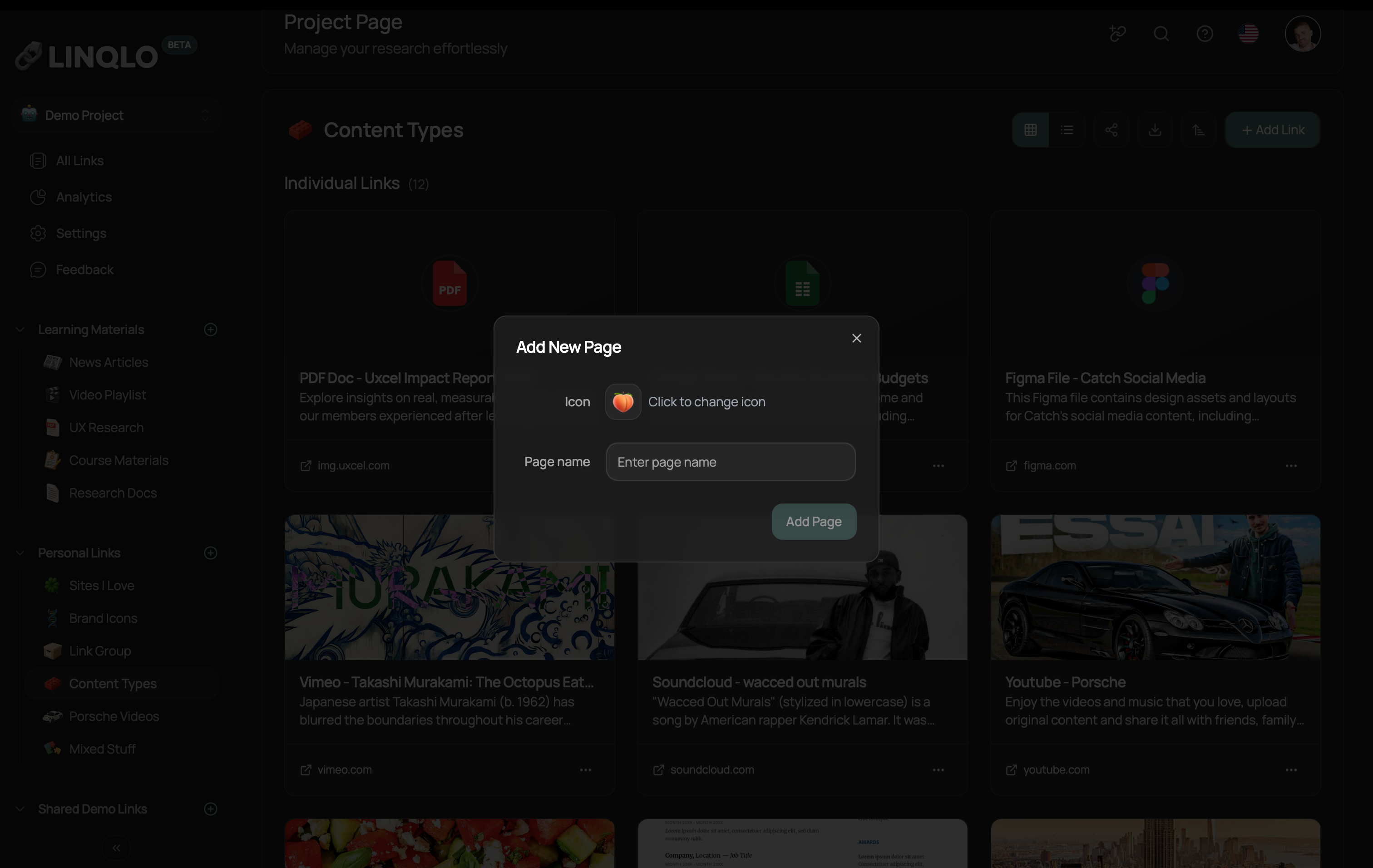
We’ve refreshed popups and dialogs with a sleek, glass aesthetic — modern, airy, and beautifully translucent.


🗺 Google Maps Integration (9th Content Type)

You can now embed live Google Maps & Routes into your projects. Perfect for travel guides, location-based research, or mapping inspiration.

To show it off, I built a project featuring 60 of the most beautiful spots in South Africa — my home and my heart ❤️🇿🇦 (Just don’t go wandering in Ponte alone! 👀)


🛠 Under the Hood

  • Mobile support for all 9 content types

  • Stabilized & improved initialization & project swap loading states

  • Smoother, faster page transitions

  • Added a Settings Page link to the left menu

  • Improved table view layout across the platform


That’s a wrap for July! From here, we’re taking LINQLO deeper into voice, AI, and creative expression — starting with our upcoming ElevenLabs integration for life-like conversations with your content.

We’re just getting started! 🚀

– Salvatore Barras 🌹
Our June Progress Update 👋

Hello Linqloers
Salvatore here — and what a June it’s been!

This month, we opened the doors to our Public Beta and have welcomed new users from all around the world!

We saw new users from 28+ countries, with feedback pouring in from students in Ireland, product managers in São Paulo, designers in China, and researchers in Berlin! It feels surreal to see all the usage taking place.

So, to all our new users! 🙏❤️
Thank you / Dankie / Ngiyabonga / Спасибо / Obrigado / Danke / תודה / شكراً / धन्यवाद / Gracias / Дякую / 谢谢 / Merci

Let’s break down what we launched this month 👇


✨ What’s New in June

📖 Article Reader — Your Content, Beautifully Readable

Our biggest content-type drop yet. The new Article Reader transforms messy web links into clean, minimalist reading experiences — all inside LINQLO.

Just paste in a blog post, news story, help doc, or newsletter — and LINQLO will parse it, clean it, and present it in a gorgeous, focused format.
No ads, no sidebars, no clutter. Just pure content.

Bonus features include:

  • 🌗 Light & Dark modes

  • 🔠 Font selector (Inter, Merriweather, Lexend, Open Sans, Open Dyslexic)

  • ⏫ Font size controls

  • 👾 Code block formatting

  • 📝 Collaborate with Notes

Whether you're reading for research or sharing with your team, it's all right there — no need to leave your project or open new tabs.


🎨 Thiings Icon Collection Integration

We’ve officially integrated with Thiings Icon Collection, unlocking over 8,000 stunning 3D icons — and yes, they’re as beautiful as they sound.

You can now update your pages and project icons with richly detailed, high-resolution emojis and visuals that go way beyond the standard emoji set. They're searchable, categorized, and growing fast.

This means more personality, more clarity, and more ownership over how your work looks and feels.

It's not just aesthetic — it’s expressive!


🔗 Page Share — Share Your Vision With the World

This is one of the most powerful updates we’ve released. With Page Share, you can now publish any page from your LINQLO project and share it publicly — no signup or login required for viewers.

It's perfect for:

The shared page strips everything else out — it's a focused, beautiful display of just the content. Think: public lists, creative showcases, or curated inspiration — all powered by Linqlo.


🧱 Bento Grid View

We also dropped a new layout option — Bento Grid View — for those of you who love a visual, modular experience.

It’s now available on your All Links page and has quickly become a fan favorite.


🔀 Shuffle View — Because Sometimes, Chaos Sparks Creativity

We just introduced a new Shuffle button across Card, List, and Bento Grid views in the All Links page — and it does exactly what you’d expect: randomly reorders your content.

Why? Well, a few reasons:

  • 🔄 Break mental patterns — sometimes seeing links in a different order helps surface forgotten ideas

  • 🎲 Inspiration on shuffle — great for mood boards, creative projects, or spontaneous team ideation

  • 💫 Just plain fun — sometimes novelty is the feature

Paired with new shuffle animations, this adds a touch of fluidity and playfulness to your workspace — because not every tool has to be rigid.

Try it when you're stuck, curious, or just want your workspace to surprise you.


🛠️ Fixes Under the Hood & Other Stuff

We’ve been polishing, patching, and tuning things behind the scenes to make LINQLO smoother, smarter, and more delightful to use. Here’s what’s been fixed or improved this month:

  • ➕ Improved empty states on new projects (both pages and sections now show clearer prompts + Add buttons)

  • ⚡ UI & performance optimizations for snappier interactions across the board

  • 🌐 Localization bug squashed on the onboarding flow — now smoother in all 13 supported languages

  • 🚀 Officially launched on Product Hunt — welcome, Hunters!

  • 🖱️ Hover animations enhanced on cards for more responsive and fluid interactions

  • 🔁 Fixed full-page refresh bug when moving pages within a project

  • 🧩 Chrome Extension upgraded with better link detection and sync reliability

  • 📱 General mobile experience improvements


🙏 Special Thanks to Our Testers

Huge shoutout to the LINQLO community for all the bug reporting, feature suggestions, and early feedback — you're shaping the future of LINQLO, extra thank you to the following users for all the feedback and bug spotting:

  • Ayush

  • Marat

  • Ibrahim

  • Chris

  • Kyriakos

  • Wesley


That’s all for June — July is already in motion with even more updates on deck including our exciting new integration with ElevenLabs for ultra life like conversations with your content, part of our new set of LINQLO Pro features.

Thank you again for believing in what I’m building. We’re just getting started!

– Salvatore Barras 🌹

Public Beta Now Live

Hello Linqloers 👋

Salvatore here!

This one’s big — we’re officially out of closed beta and into Public Beta! 🎉

You can jump right in here👇

LINQLO.com to get started or LINQLO.app directly.


If you’ve been sitting on the waitlist: your time is now. You can sign up and start using LINQLO right away. No invite codes, no secret links. Just good vibes and a beautifully reimagined way to manage your bookmarks.

First, massive thank you to all of you who tested, poked around, broke things (on purpose or not), and shared feedback during the closed beta — it’s been invaluable. I can confidently say LINQLO is a hundred times better because of your voices.

Now let’s talk what’s new!


✨ What’s New in Public Beta?

🧱 Bento Grid View

There’s a sleek new Bento layout option in the All Links page — ideal for visual thinkers who love seeing their content laid out like a creative board. Beautiful, bold, and just fun to use.


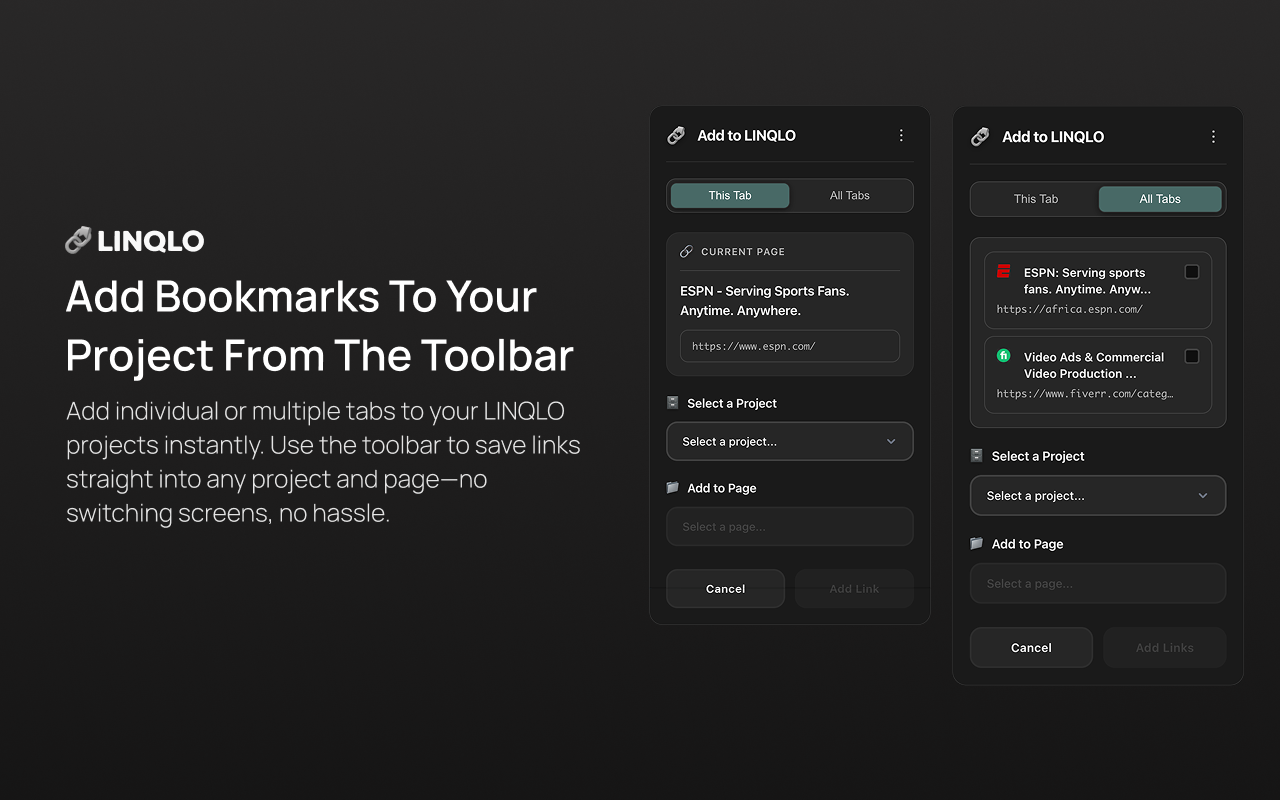
🧩 Chrome Extension — Now LIVE

Yes, finally. Our Chrome Extension is now officially available in the Chrome Web Store!

You can save tabs (whether it’s 1 or 20) straight into your LINQLO projects without opening the platform. Just click, tag, and you’re done. It’s fast, intuitive, and perfect for curating on the go.
Get it here: https://chromewebstore.google.com/detail/hkcipegdcocdfdejehhgifjkokigjmmk?utm_source=item-share-cb


➕ Global Add Link Button

You’ll now find a consistent “Add Link” button right in the header. No matter where you are in your workspace, adding new content is always just one click away.


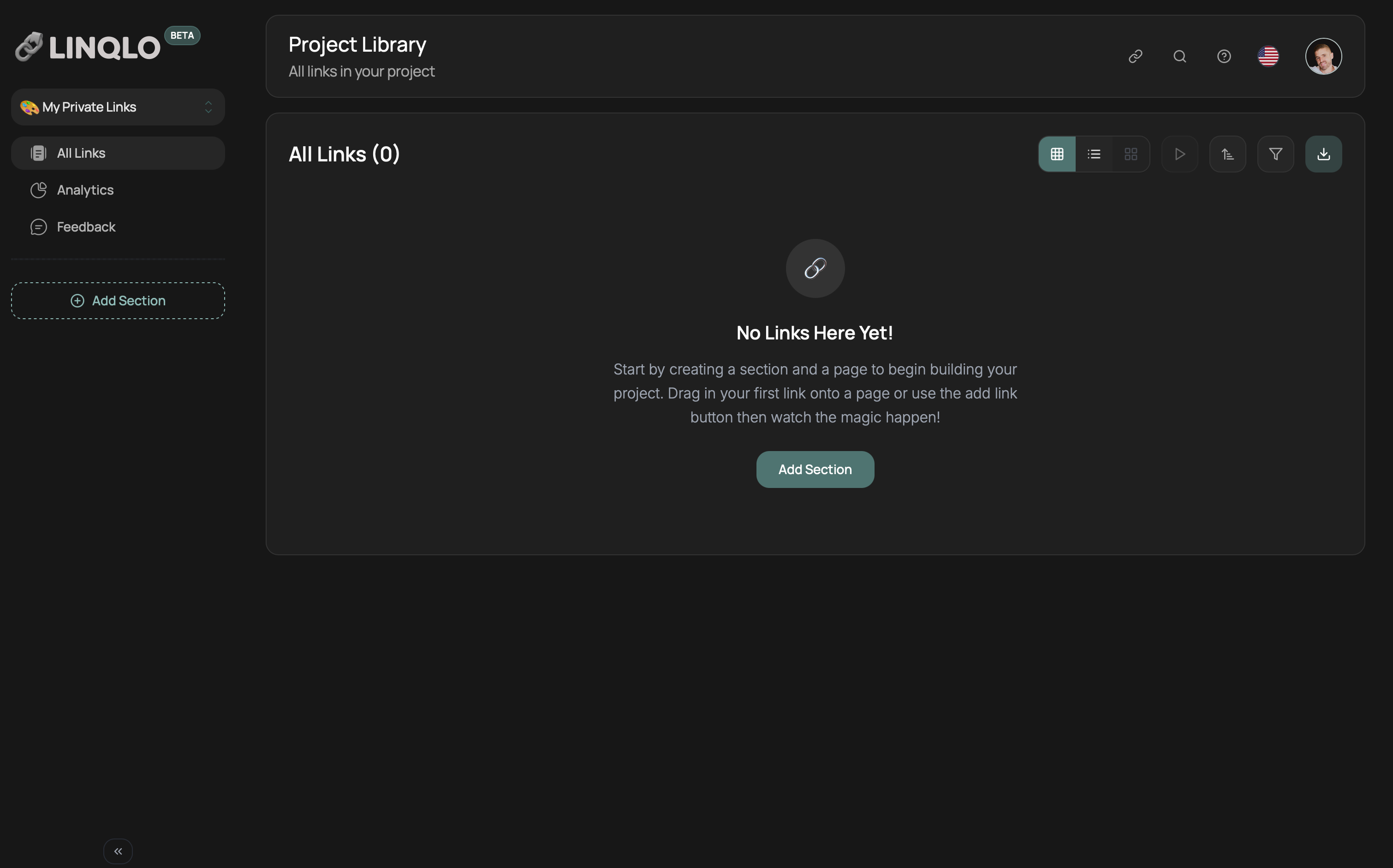
📭 Improved Empty States

Your blank canvases just got an upgrade. Whether you're starting a new project or landing on an empty page, you’ll now see helpful prompts and smarter UI hints to guide you forward.


🚀 Performance + Bug Fixes
We’ve squashed a bunch of annoying bugs and smoothed over rough edges across the platform. Page loads, drag-and-drop, card animations — all snappier and more reliable now.


🫶 A Note to Our Closed Beta Legends

We wouldn’t be here without you. Truly. This public beta milestone reflects your feedback, your ideas, and your very real bug reports.

This is still just the beginning. We’re now moving faster than ever with more updates already cooking — from new integrations to workspace magic. Keep the feedback coming.


If you’ve been waiting to bring your team, clients, or chaos into a better system — now’s the time. Public Beta is live. Let’s build something beautiful together!

LINQLO.com to get started or LINQLO.app directly.

Salvatore Barras

Earlier updates